
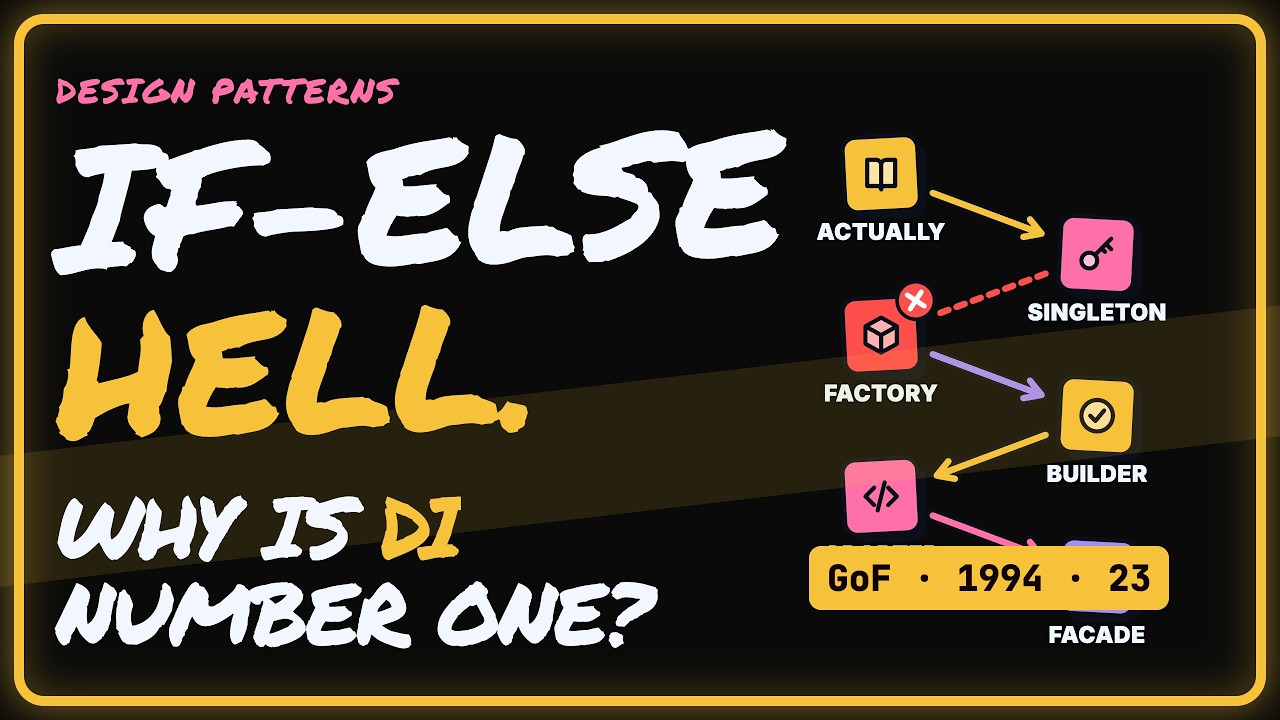
Design patterns are named, reusable solutions to problems that keep showing up in code. You have almost certainly used several already without knowing what they were called. In 1994, the four authors known as the Gang of Four cataloged 23 of them. Ten still show up in nearly every codebase, and those ten are what you'll meet in code reviews, frameworks and job interviews.
This guide counts down from ten to one. Each pattern gets a concrete example, a clear signal for when to use it, and a straight verdict. Nine come directly from that 1994 book. The tenth, Dependency Injection, grew out of its ideas later. It takes the top spot because a whole framework is built around it.
- Ten patterns cover most of what you'll see in real projects: creating objects, connecting code, and coordinating behavior.
- Singleton, Factory and Builder control how objects get created.
- Adapter, Facade and Decorator connect and wrap code without rewriting it.
- Command, Observer and Strategy coordinate actions, events and algorithms.
- Dependency Injection ranks first because it makes the other nine easy to test and swap.
- 0:00Intro
- 0:27The ten that actually matter
- 1:10The Singleton
- 1:55The Factory
- 2:37The Builder
- 3:24The Adapter
- 4:06The Facade
- 4:46The Decorator
- 5:30The Command
- 6:18The Observer
- 7:05The Strategy
- 7:49Dependency Injection
- 8:34Ten patterns, a few big moves
- 9:00Patterns are tools, not trophies
10. Singleton: when you truly need one instance
The Singleton guarantees that a class has exactly one instance and one global access point. Use it for config loaders, loggers and connection pools, where a second copy would mean duplicate connections or conflicting settings. In the modern version below, the class keeps a private static instance. The get method uses nullish assignment to create that instance on the first call. Every call after that returns the same object.
The catch is hidden global state. Any module can change the instance without anyone noticing, so tests leak into each other and pass or fail depending on the order they run in. That's why developers love the Singleton at first and regret it later. A safer approach is to keep the single instance but pass it into the code that needs it, instead of letting every file reach for it directly.
- Use it for: shared config, loggers, connection pools
- Watch for: silent changes and tests that depend on run order
- Verdict: use it sparingly, and prefer injecting it.
class Config {
  static #instance;
  static get() {
    return this.#instance ??= new Config();
  }
}
9. Factory: build the right object without calling new
The Factory is the Singleton's creational cousin. You stop calling new all over your code. Instead, you ask one place to build the right object for you, and the caller never learns the concrete class name. That separation is the whole point. Take a signup flow that passes a type to a notification factory. The factory chooses the class and returns an EmailNotifier, an SmsNotifier or a PushNotifier.
All three notifiers share one interface, so the signup code treats them the same way. The payoff comes later. When you add a new notifier next year, you change the factory, not every file that sends messages. Creation logic lives in one place instead of fifty. Use a Factory whenever you pick between several classes based on input or config.
- Use it when: several classes sit behind one interface
- Signal: you keep choosing a class based on input or config
- Verdict: a small pattern with a big payoff.
8. Builder: fix constructors nobody can read
Look at a call like new User('Ann', null, true, 3). What does true mean? Why is there a null? Long positional constructors force you to pad optional arguments with nulls, and they make it easy to swap two values without noticing. The Builder replaces that with named steps, starting from something like User.builder().name('Ann').
Each step names its value. You skip the optional ones, and the final build call can validate everything before handing over the object. Setup code reads like a sentence, so reviewers understand the object at a glance. You'll find builders in Java's StringBuilder, in HTTP clients and in test-data setup. Reach for one when a constructor grows past four or five parameters or carries many optional ones.
- Use it when: constructors have many or optional parameters
- Win: readable, self-documenting object setup
- Verdict: past four or five parameters, a builder pays for itself.
7 & 6. Adapter vs Facade: making messy code easy to use
Number seven, the Adapter, lets two incompatible interfaces work together without rewriting either side. Think of a travel plug: the socket stays the same, the device stays the same, and the adapter sits between them. Say your checkout calls pay(19.99) in dollars, but the new payment SDK expects charge(1999) in cents. A PaymentAdapter translates one call into the other, and neither side has to change.
Number six, the Facade, works at a larger scale. An Adapter translates one interface. A Facade hides an entire messy subsystem behind one clean door. A mobile app calls placeOrder() on a CheckoutFacade. Behind it, the facade coordinates Inventory, Payments, Shipping and Email in the right order, with the right error handling, every time. The subsystem still exists. Callers just stop needing to know about it.
Both patterns limit how far changes spread. If you swap payment vendors, only the adapter changes. If you refactor the checkout subsystem, no caller breaks. Facades have one risk: one that keeps absorbing logic turns into a god class that does everything itself.
- Adapter: legacy code, third-party APIs, vendor migrations
- Facade: one simple entry point in front of several services
- Verdict: wrap outside code in an adapter, and keep facades thin so they delegate the work instead of doing it.
5. Decorator: add behavior without endless subclasses
A Facade hides behavior. A Decorator adds it, stacking new layers on an object without touching the original code. Every wrapper shares the same interface, so the caller can't tell how many layers there are. Here's a GET /users request passing through a decorated fetch. The logger records the request. The cache misses and passes the call on. Retry logs attempt 1 of 3. The base fetch returns 200 OK.
That's four layers, and the original fetch never changed. You can mix and match wrappers for each use case and add or remove them at runtime. Java's I/O streams are the textbook example, and Python's decorator syntax borrows the same idea. Use it whenever you want to combine behaviors like logging, caching and retries in different ways.
- Use it when: you need to combine optional behaviors
- Rule: stack wrappers, don't edit the original
- Verdict: about to write a CachedLoggedRetryingClient subclass? Decorate instead.
4. Command: undo, redo and job queues
The Command pattern turns an action into an object that knows what to do and how to undo it. Once an action is just data, you can store it, send it somewhere and replay it. In an editor, the UI creates actions like bold, delete and paste. Each becomes a command object. An invoker runs them one at a time, and every finished command goes onto a history stack.
Undo becomes simple: pop the last command and call its undo method. That's how editors and design tools reverse your mistakes. Job queues use the same idea at a larger scale. You serialize a command, push it to a worker, then run it or retry it later if it fails. Use Command when actions need history, need to be delayed, or need retries.
- Use it for: undo and redo, task queues, retryable jobs
- Key idea: each command knows how to reverse itself
- Verdict: when actions need history, delay or retries, use Command.
3. Observer: notify everyone when something changes
Command packages actions. The Observer broadcasts changes. Subscribers register their interest, and the subject never needs to know who they are. Picture a shopping cart as the subject. When you add an item, it fires one event, and the badge count, the total price and analytics all update. Nothing polls for changes, and none of those pieces depends directly on the others.
You already use this pattern every day. Every addEventListener call is an observer subscribing, and reactive libraries like RxJS, along with Vue's reactivity, build whole apps on the idea. Where it bites is memory. If you forget to unsubscribe, components you've already removed keep listening. Use Observer whenever several parts of your app need to react to one change.
- Use it when: many parts of the app react to one event
- Watch for: listeners that are never removed
- Verdict: pair every subscribe with an unsubscribe.
2. Strategy: replace growing if-else chains
The Observer decides who hears about a change. The Strategy decides how the work gets done, by swapping whole algorithms while the program runs. Payment methods, sorting rules, pricing and compression are all strategies waiting to happen. The before picture is familiar: if it's card, pay by card; else if it's PayPal, pay with PayPal. The chain grows every sprint.
The after picture, shown below, looks up the right strategy in a map and calls strategy.pay. Adding a new payment method means adding one entry. Each former branch becomes a small class you can test on its own, and the code that picks a strategy never has to change. Use Strategy whenever you have the same goal but several interchangeable ways to reach it.
- Use it for: payments, sorting, pricing, compression
- Win: each algorithm is isolated and testable
- Verdict: a switch on type that keeps gaining cases should become a strategy.
# Before: a chain that grows every sprint
if (m === 'card') payCard(order)
else if (m === 'paypal') payPal(order)
# After: look up the strategy
const strategy = strategies[m]
strategy.pay(order)
1. Dependency Injection: why it ranks number one
Dependency Injection ties the other patterns together. The rule is simple: inject, don't hardcode. A class declares what it needs in its constructor, and something outside decides what to give it. In Spring, the IoC container builds the pieces and injects them into an OrderService. In production, that service gets the real payment gateway. In tests, it gets a fake one, and OrderService doesn't change a single line.
That makes code testable by default: no network calls, no database, just fast unit tests with fakes passed in. It also makes implementations swappable through config instead of code changes. Spring is built around it, and Angular and ASP.NET Core include it out of the box. Use it any time a class depends on a service you might want to replace or fake.
- Use it when: classes depend on services, gateways or stores
- Win: easy fakes in tests, swappable implementations
- Verdict: this is what makes the other nine easy to test and swap.
The bottom line
- Create smartly: Singleton, Factory, Builder.
- Connect cleanly: Adapter, Facade, Decorator.
- Coordinate behavior: Command, Observer, Strategy.
- Inject dependencies instead of hardcoding them.
- Start with the problem, then pick the pattern. Patterns are tools, not trophies.
Quick-fire questions
What is the Gang of Four design patterns book?
It's a 1994 book by four authors that cataloged 23 design patterns for object-oriented software. Many of those patterns are niche today, but about ten still appear in nearly every codebase.
Is Dependency Injection one of the original Gang of Four patterns?
No. Nine of the patterns in this list come directly from the 1994 book. Dependency Injection grew out of its ideas later and is now built into frameworks like Spring, Angular and ASP.NET Core.
Is the Singleton pattern bad?
Not always, but it introduces hidden global state that any code can change, which makes tests depend on run order. Use it sparingly for things like config or loggers, and pass the instance in rather than accessing it globally.
What is the difference between an Adapter and a Facade?
An Adapter translates one interface into another so two incompatible pieces can work together. A Facade hides a whole subsystem, such as inventory, payments, shipping and email, behind one simple method.
When should I use a Decorator instead of a subclass?
Use a Decorator when you need to combine behaviors like logging, caching and retries in different ways. Subclassing every combination leads to an explosion of classes, while decorators let you stack layers at runtime.
Which design patterns should I learn first?
Start with the ones you already touch: Observer through event listeners, Strategy for replacing if-else chains, and Dependency Injection if you use a framework like Spring or Angular. Learn each one by the problem it solves, not just its name.
